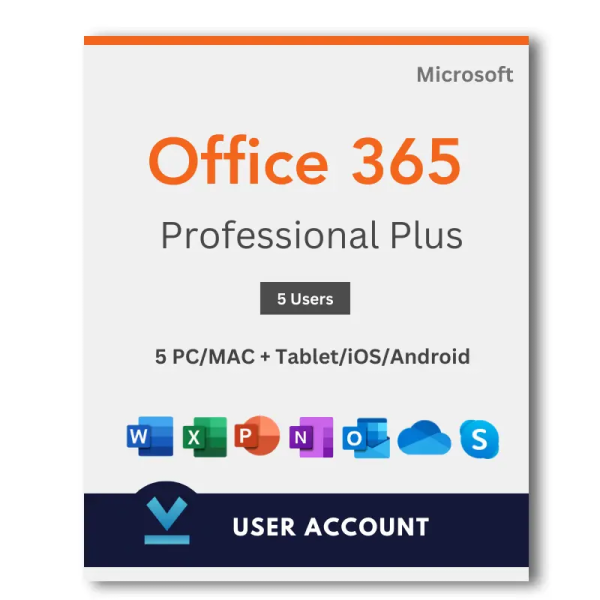
What’s Included:
- Get the latest Office suite of applications – Word, Excel, Powerpoint, OneNote, Outlook, Publisher & Access
- This software is multi-language, you can use your language while installing.
- You’ll receive the details of your new Microsoft Online account together with very simple instructions on how to download, install & register/activate your software from Microsoft’s Website.
- The details will be sent to your email immediately after payment.
Microsoft Office 365 PRO PLUS – 5 Devices 1 year warranty of replacement. Incase of customized account get’s deactivate then we provide random account as an replacement.
License Validity: 12+ Months
No monthly subscription required. Buy once and you’re set, including future updates and security patches to Office 365.
Please note:
This is a NEW Microsoft account. There is no CD, key or serial code included with the purchase!
This cannot be used to renew an existing subscription You cannot use your own email for this.
We will send you a username and password for your new account with instructions on how to install it.
In Ms Office 365, the platform only supports the display of your preferred name without the inclusion of the domain. We would like to clarify that this limitation is beyond our control, and we cannot be held responsible for it. It’s important to understand that due to this technical constraint, we are unable to accommodate refund requests related to the absence of the domain in your preferred name.
FAQ:
- Q. Do I get a download link to the application?
- A. Yes, you will receive an account where desktop applications can be downloaded.
- Q: Are these licenses legitimate?
- A: Yes, the licenses are legitimate and authentic. The license is a business license that forms part of an academic license.
- Q: Can I seek Microsoft customer care help if needed in the future?
- A: Yes, you can get support directly from Microsoft.
- Q. What Operating system does it support?
- A. Licenses work on both x86 (32bit) and x64 (64bit) versions of Windows 8.1 or Later and also Mac Os X Yosemite or Later.
- Q. Can I use this with Android and iPhones or iPads?
- A. Yes, download the relevant apps from the app store and login in with the provided account to activate on your device.
- Q. Can I renew or upgrade my current Office 365 Subscription?
- A. No, we provide a new account with a new license, it cannot be used to renew or upgrade or current subscription.
- Q. I have an older version of office already installed on my device, what should I do?
- A. We recommend removing this before installing any applications from the account.
- Q. Can I use my own email address, name, and other personal details?
- A. No, this is not currently supported. Customization is currently not possible.
- Q. Can I store all my data on OneDrive?
- A. Yes, you can but please note that OneDrive storage is complimentary which we provide with office apps. We suggest you do not use it to store critical data. If an account goes down, we can easily replace it but we cannot recover data from OneDrive.


 Windows 11
 Windows 10
 Windows 8.1
 Office 365
 Office 2021
 Quick Heal Antivirus
 Net Protector Antivirus
 Mcafee Antivirus
 Norton Antivirus
 K7 Antivirus
 Guardian Antivirus
 Eset Antivirus
 Kaspersky Antivirus
 Bitdefender Antivirus
 Escan Antivirus
 WhatsApp
 WhatsApp Cloud
 Google Map
 SMS
SMS



 Email & Whatsapp delivery(Within 2-3 Hours)
 Technical Support available
 This product is not eligible for returns.